
AI Character Art for Twitch Streamers — Channel Mascots, Emotes & Overlays
One channel mascot. Locked. Render the full emote sub-tier matrix, overlay alerts, panel banners, and offline screen — all from the same reference set — without commissioning each piece from a different artist with a different style.
The problem
Twitch channels live or die on visual consistency. Your overlay alert character looks different from your sub emote, which looks different from your panel art, which looks different from the offline screen. Each was commissioned from a different artist on Fiverr or X, each $20–$200. Sub Tier 1, 2, and 3 emote sets compound the cost: 3 emotes × 3 tiers × $30 average = $270 minimum for unified emote art. A locked multi-angle mascot kills the per-asset cost — generate the emotes, the alert reactions, and the panel art from one reference and ship a brand that reads cohesive at first glance.
How twitch streamers use EZ Character
Sub-tier emote matrix (Tier 1, 2, 3 × 3 emotes each)
Twitch sub tiers each unlock new emotes. Generate the mascot in 9 emote reads — happy, sad, hype, surprised, mad, drinking, salute, sleeping, LUL — then assign to tiers. Same character, same palette, same line weight across all 9. Subs see a cohesive emote library, not a Frankenstein of styles.
Overlay reaction characters (follow, sub, raid, bits)
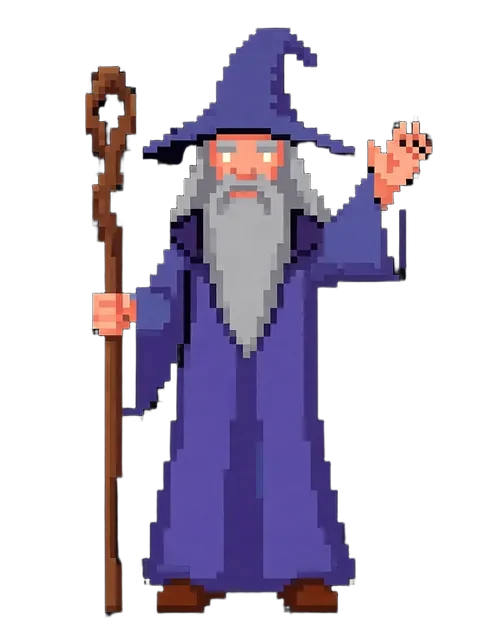
Pop-up alerts for follows, subs, raids, and bit donations need a character animation that reads in 2 seconds. Generate the mascot in 4 reaction poses tied to those alerts — wave for follow, hype for sub, salute for raid, money-eyes for bits. Your StreamElements or Streamlabs overlay just got a unified personality.
Panel art + offline screen + schedule banner
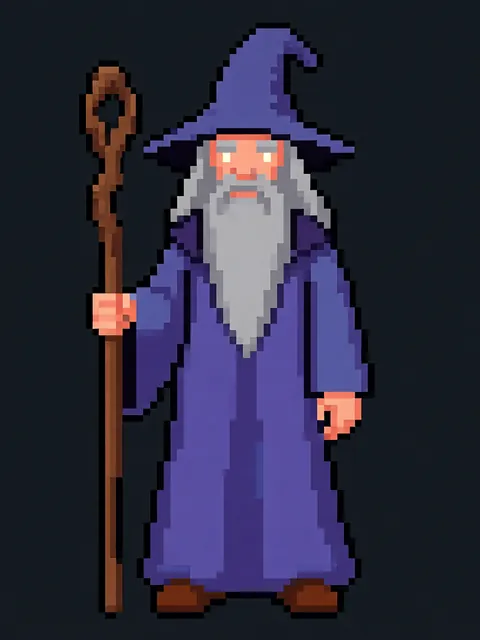
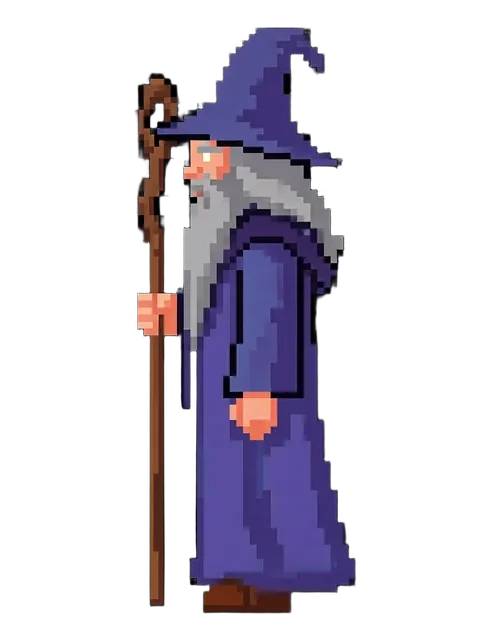
Your About panel, schedule panel, donate panel, and offline 'be right back' screen all need character art. Use the multi-angle set: front for offline screen, side for schedule banner, ¾ for About panel hero. Channel art reads as one brand, not a thrift store of mismatched commissions.
YouTube Shorts + TikTok cross-posting (same character)
Stream clips repurposed for YouTube Shorts and TikTok need a thumbnail character that matches your Twitch brand. The locked mascot ships across platforms — viewers on Shorts recognize the same channel personality they see on stream. Multi-platform brand recall compounds your growth.
Recommended workflow
Start with these step-by-step guides — tuned for the deliverables twitch streamers ship most often.
Which tier fits this work
Start with PRO. Twitch channels iterate constantly: new sub tier launches, seasonal emote drops, holiday overlays, brand sponsor activations. MAX at $60/mo, a monthly credit allowance plus member pricing on the EZ engines (fast FLUX 4B images cost 0.5 credits), matches a streamer who treats their channel art as a living asset, not a one-time commission. The 200-credit pack works for the initial channel launch; MAX is the right tier once you have a regular emote release cadence.
Frequently asked questions
Will Twitch approve AI-generated emotes for the partner emote slots?
Can I generate animated emotes (the 3-frame Twitch animated format)?
What size do I need for Twitch emotes vs YouTube membership emotes?
How do I keep the mascot looking the same across emotes commissioned now and 6 months from now?
Can VTuber rigging artists use EZ Character output as a Live2D base?
Generate your first reference set
Upload one image. Get 8 consistent angles. Use the set across every spread, frame, or sprite in your project.
Try EZ Character freeFree tier: 40 credits every month. No credit card required.