
Create Character Turnaround Sheets with AI
Turnaround sheets are essential for animation, game development, and character design. Learn how to use AI to generate professional-quality turnarounds that maintain consistent proportions and details.
Step-by-step
- 01
Design your base character
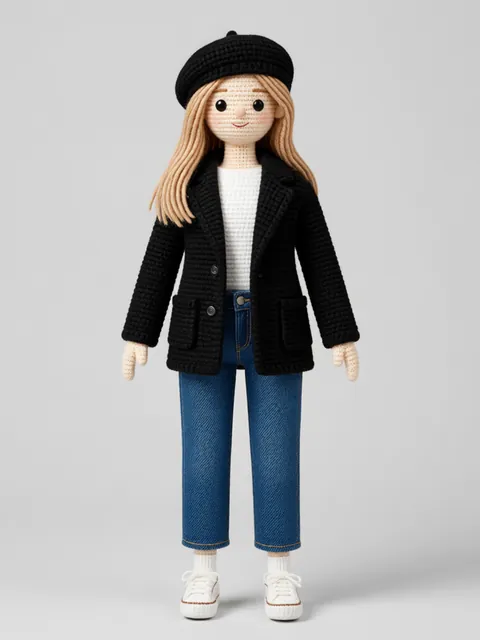
Start with a detailed front-view character design as your reference.
- 02
Configure turnaround angles
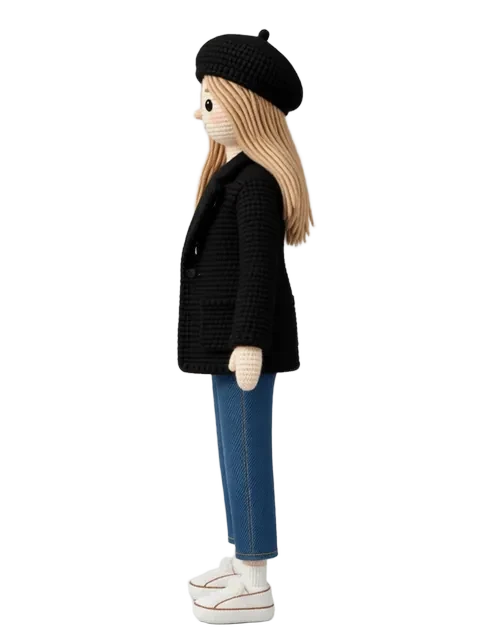
Set up front, three-quarter, side, three-quarter back, and back views.
- 03
Align proportions
Use horizontal guide lines to ensure height and feature alignment across views.
- 04
Export as turnaround sheet
Compile all views into a single reference sheet with alignment guides.
Pro tips
- Professional turnarounds typically include 5-7 angles
- Include a T-pose or A-pose variant for rigging reference
- Mark key proportion lines (eyes, shoulders, waist, knees) across all views
Ready to create consistent character views?
Upload a reference image and generate multi-angle views that stay true to your character.
Start generating