
Generate VTuber Multi-Angle Views
VTuber character design requires multi-angle references that serve a very specific purpose: they will be used to build Live2D or 3D models for real-time face tracking. This means proportions, accessory placement, and hair layering must be precise enough for a rigger to work from.
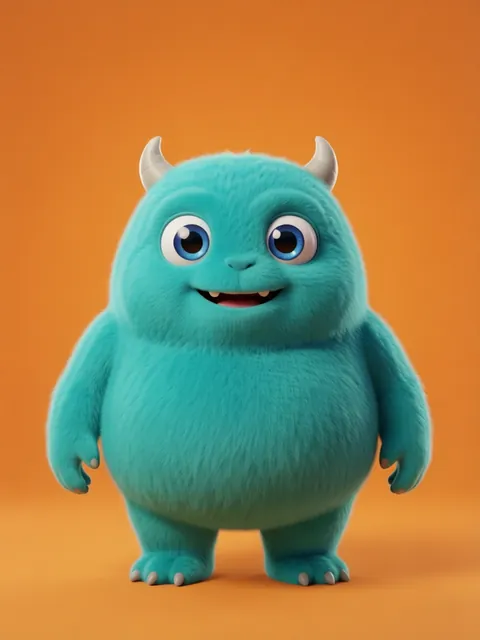
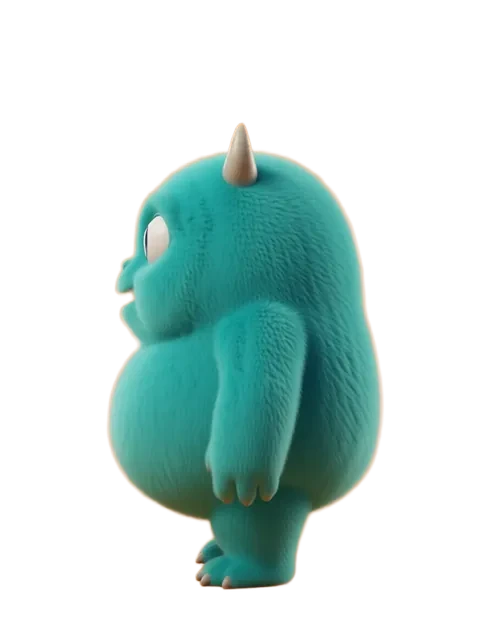
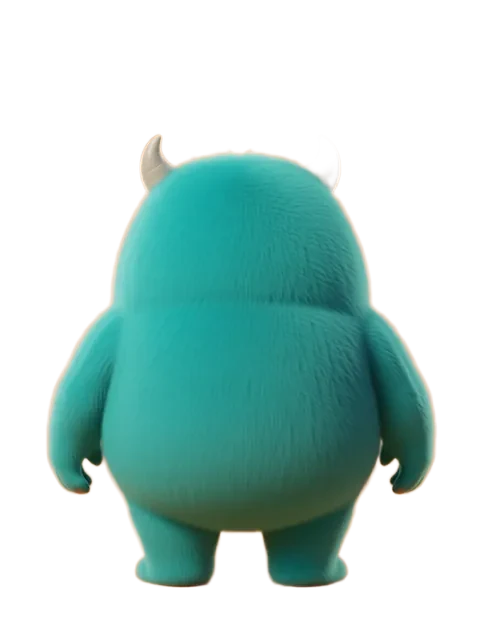

- 01
Design with rigging in mind
VTuber models need clearly separated layers: face, front hair, back hair, accessories, clothing. Design your reference with these separation points visible.
- 02
Generate the three essential views
Front (primary), three-quarter (for depth reference), and side profile (for nose/chin shape). These three views give a rigger everything they need.
- 03
Ensure hair layer clarity
VTuber hair must separate into front bangs, side locks, and back hair. Generate views that clearly show how these layers overlap.
- 04
Produce accessory detail views
Hair clips, hats, headsets, ribbons — generate close-ups of every accessory from at least two angles.
- 05
Create an expression reference set
VTubers need expressions mapped to face-tracking blend shapes: neutral, happy, sad, surprised, angry, plus mouth shapes for A-I-U-E-O vowels.
- VTuber designs should have high contrast between hair and face for clean Live2D separation
- Avoid overly complex overlapping accessories — they make rigging exponentially harder
- Include a color palette with exact hex values, since the rigger needs to match colors precisely
- Design eye highlights as a separate element — they move independently in Live2D
Ready to create consistent character views?
Upload a reference image and generate multi-angle views that stay true to your character.
Start generating