
Classroom Mascots for Educators — Same Character on Every Worksheet, Slide, and Sticker
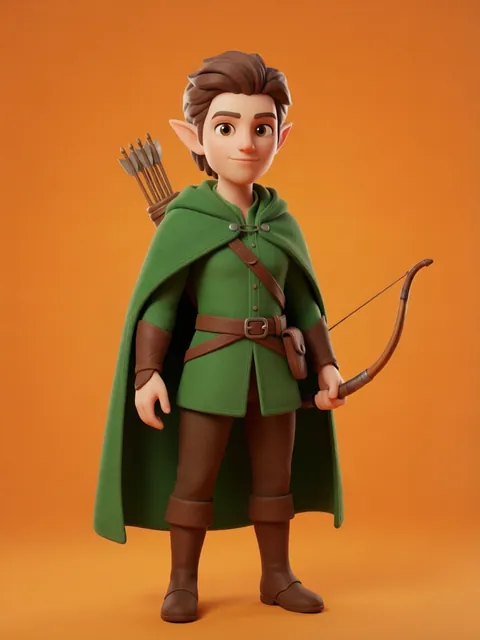
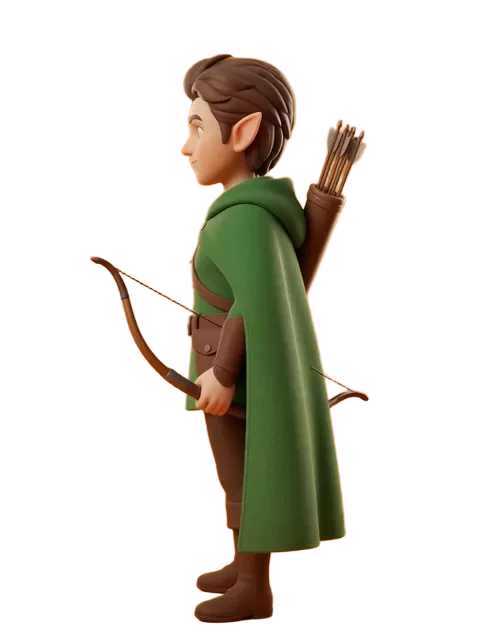
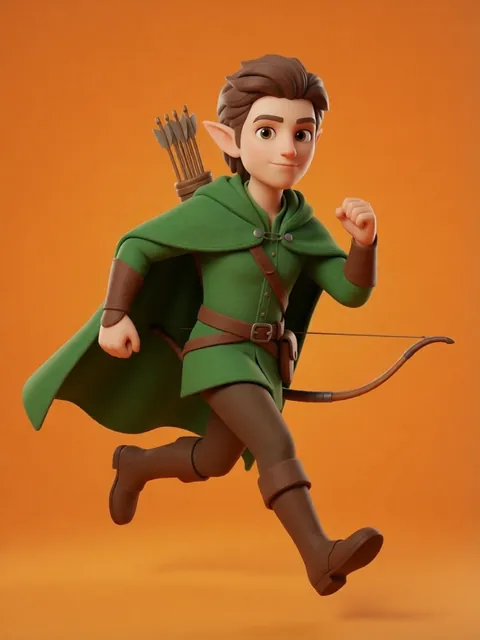
Upload one mascot drawing. Generate the multi-angle reference set. Paste into your Canva or Google Slides template. Your classroom mascot appears on every worksheet, every morning slide, every sticker reward — 180 school days of the same friendly face your students recognise instantly.
The problem
Teachers and educational content creators produce 200+ individual resources across a school year — morning work sheets, exit tickets, lesson slides, visual schedules, reading trackers, sticker rewards, holiday packets. A classroom mascot that anchors every resource builds routine, recognition, and emotional connection. But the mascot on the October math sheet looking different from the February reading sheet breaks that connection. Children are the most detail-sensitive audience for visual consistency — they notice when the mascot's eyes change shape or the outfit gains a button. Hand-drawing the mascot across 200 resources in Procreate is unsustainable. Commissioning each update is unaffordable on a teacher's budget. Canva, Google Slides, and PowerPoint are the primary creation tools. For one-off classroom clipart, Teachers Pay Teachers free section works. For the same mascot on all 200 of your worksheets this year, EZ Character.
How educators use EZ Character
Classroom mascot locked across every subject and grade level
Generate the multi-angle reference set for your mascot once in August. The same character appears on math drills, reading comprehension pages, science observation sheets, and morning work packets. 5 subjects × 36 weeks = 180 resources. One consistent mascot identity across all of them. Students build a relationship with the character by October.
Seasonal mascot variants without redrawing the base character
Generate the locked mascot in seasonal outfits: back-to-school uniform, autumn sweater, winter coat, spring rain jacket, summer camp tee. The face and proportions stay identical. Only the outfit layer changes. Students love tracking "what our mascot is wearing this month." You generate the variants in one session and schedule them across the school year.
Diverse student character sets for inclusive classroom materials
Generate 8–12 student-archetype characters across skin tones, hair types, cultural presentation, and ability representation — all in the same locked art style. Use across worksheets, slides, and classroom library labels. Inclusive visual representation without commissioning each character individually. One generation session. A full diverse cast.
Printable classroom décor and reward systems from one character set
The same locked mascot translates to printable sticker reward sheets, "Star Student" certificates, classroom job charts, door signs, name tags, and bulletin board headers. Consistent art across every physical item in the room makes the environment feel intentionally designed. Students internalize the classroom identity.
Recommended workflow
Start with these step-by-step guides — tuned for the deliverables educators ship most often.
Which tier fits this work
Start with PRO. A full curriculum set across 5 subjects and 36 weeks needs 180+ mascot appearances plus seasonal variants, diverse student characters, and classroom décor. Pro, a monthly credit allowance plus member pricing on the EZ engines (fast FLUX 4B images cost 0.5 credits), generates a full year of materials in a focused production sprint.
Frequently asked questions
Are the generated characters safe and appropriate for K–8 classrooms?
Can I sell worksheets and lesson packs with EZ Character illustrations on Teachers Pay Teachers?
How do I drop the character into Google Slides and Canva?
What art style works best for elementary versus middle school resources?
My school district requires approval for AI tools. How should I describe EZ Character for that process?
Can I generate alphabet mascots or number characters for early literacy materials?
Generate your first reference set
Upload one image. Get 8 consistent angles. Use the set across every spread, frame, or sprite in your project.
Try EZ Character freeFree tier: 40 credits every month. No credit card required.