
Generate a Character from Any Angle
The Repose tool lets you generate a single specific angle of your character. Upload one reference image, tap a direction on the visual compass grid, and get exactly the view you need — no full turnaround required. Perfect for filling gaps in your character sheet or getting a quick reference for a specific pose.
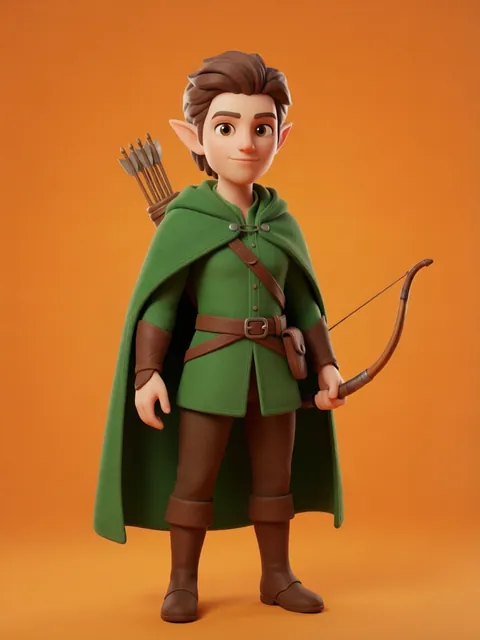
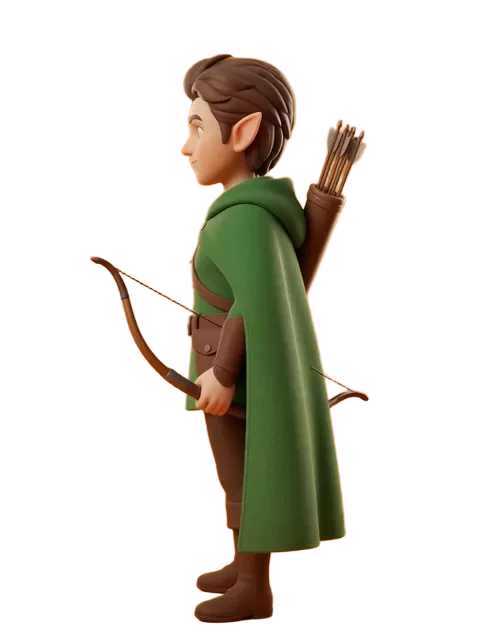
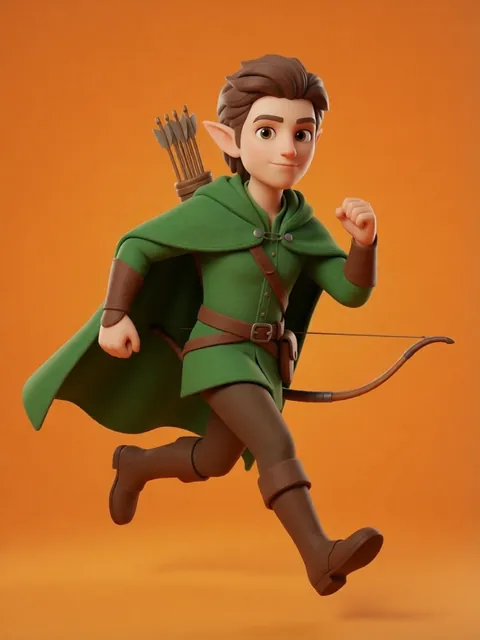

- 01
Open the Repose tool
Navigate to /repose. This dedicated tool lets you generate a single specific angle of your character — perfect for getting exactly the view you need.
- 02
Upload your character image
Drag and drop, paste from clipboard, or click to upload. PNG, JPEG, and WebP files are optimized in your browser before upload, up to 25MB. Use a clear, well-lit reference for best results.
- 03
Choose your target angle on the compass grid
Tap one of the 8 direction cells on the 3x3 compass grid: Front, Front-Right, Right, Back-Right, Back, Back-Left, Left, or Front-Left. The center dot represents your character.
- 04
Set elevation and distance
Pick an elevation (Low, Eye-level, Elevated, High) and distance (Close, Medium, Wide) to fine-tune the camera position. Eye-level and Medium are the defaults.
- 05
Choose a style
Select Clean (white studio background), Keep BG (preserve original background), or Cutout (transparent background) depending on your use case.
- 06
Generate
Hit Generate and wait for your single-angle result. Generation takes about 15-30 seconds depending on queue length.
- 07
Download or try another angle
Download the result, or tap "Try another angle" to pick a different direction without re-uploading. For a full 8-angle turnaround, use the Turnaround Sheet tool instead.
- Use Repose when you need ONE specific angle — it is faster and cheaper than generating all 8
- Combine with the Turnaround Sheet tool: use Turnaround Sheet for the full sheet, then Repose for any tricky angles that need extra attention
- Eye-level + Medium distance gives the most natural-looking results for most characters
Ready to create consistent character views?
Upload a reference image and generate multi-angle views that stay true to your character.
Start generating