
Consistent Character Reference for Film Storyboard Artists — 200 Panels, Zero Drift
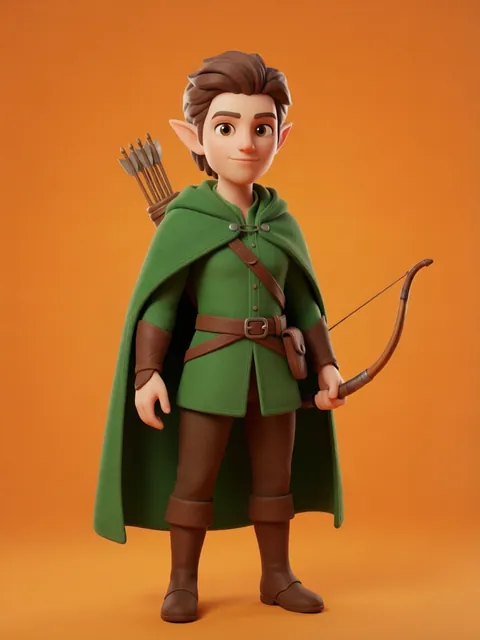
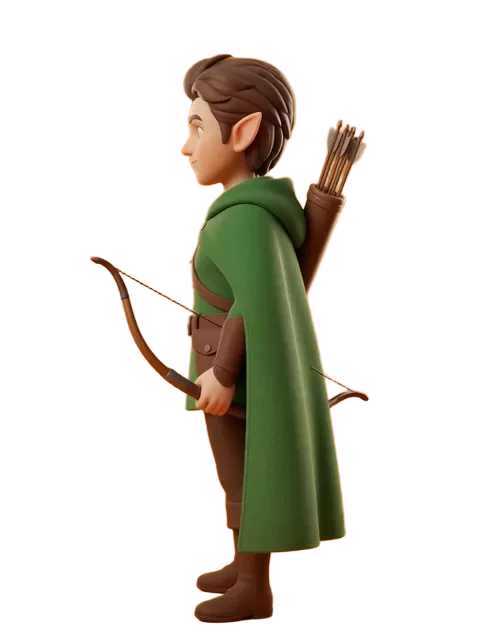
Upload one character design. Generate the 8-angle reference set. Pin it in Storyboard Pro. Every panel you draw — wide master, tight ECU, over-the-shoulder dialogue — references the same canonical character. 200 frames. Zero drift.
The problem
A feature film storyboard sequence runs 50–200 panels. The protagonist reads as the same person in a wide establishing shot on panel 1, a tight ECU on panel 47, an over-the-shoulder dialogue on panel 112, and an action blur on panel 198. Hand-drawing a complete character reference set before boarding begins adds 3–5 days to pre-production per character. Under schedule pressure, most storyboard artists skip the reference step and correct character drift panel-by-panel — burning 2–3 hours of correction time per sequence. Across a film with 12 sequences, that is 24–36 hours lost to fixing drift instead of drawing new panels. A locked multi-angle reference set generated at the start of the project — front, three-quarter, profile, back, plus expression variants — collapses the reference workload from days to minutes. Storyboard Pro, Photoshop, and Toon Boom Harmony all support pinned reference layers. The reference set is the anchor. The panels are what you ship.
How film storyboard artists use EZ Character
Character anchor pinned to every storyboard panel
Generate the 8-angle reference set for each named character before boarding begins. Pin the relevant angle as a reference layer in Storyboard Pro. The character reads as the same person whether you draw them in a wide master shot filling the frame or a tight ECU focused on the eyes. 200 panels. One character truth.
Expression sheet for emotional beat boards
Pair the angle set with 6–8 expression variants: neutral, angry, afraid, sad, surprised, determined, tender. Pull the right expression for each story beat. The face structure stays locked. Only the emotional layer changes. The director reviews emotional pacing, not character consistency corrections.
Costume continuity across wardrobe changes
Generate the same character in alternate costumes using the locked reference. The script calls for a costume change mid-sequence — you generate the outfit variant without redrawing the character. Face and proportions stay identical. The continuity supervisor gets exactly what they need. No continuity notes in dailies.
Action sequence reference for dynamic camera angles
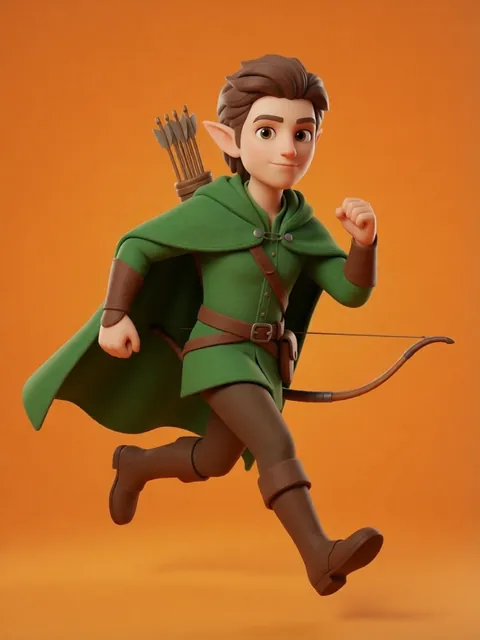
Chase scenes, fight choreography, and stunt sequences need dynamic poses beyond the 8 orthographic angles. Generate action poses — running, jumping, falling, striking — locked to the same character identity. Use as underlay for rough gesture drawings. Anatomical consistency across extreme camera angles without reference reconstruction.
Recommended workflow
Start with these step-by-step guides — tuned for the deliverables film storyboard artists ship most often.
Which tier fits this work
Start with PRO. A feature film with 12 sequences and 5–8 named characters needs individual reference sets, expression variants, and action poses for each. Pro, a monthly credit allowance plus member pricing on the EZ engines (fast FLUX 4B images cost 0.5 credits), covers a full boarding pre-production sprint across the entire character roster.
Frequently asked questions
How does the reference set integrate with Storyboard Pro specifically?
Can I use this for both 2D animation storyboards and live-action pre-vis?
What about crowd scenes with 20+ background characters?
Does the reference work at rough gesture level or only for finished boards?
Can I generate the reference in a style that matches the film's visual language?
Generate your first reference set
Upload one image. Get 8 consistent angles. Use the set across every spread, frame, or sprite in your project.
Try EZ Character freeFree tier: 40 credits every month. No credit card required.