
AI Character Reference for Manga Artists
Lock your protagonist once before the first spread. Panel-to-panel consistency across 200+ pages, without redrawing the model sheet from scratch for every volume.
The problem
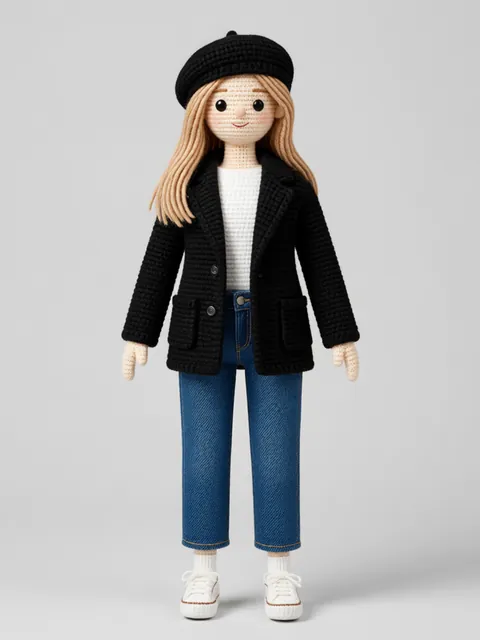
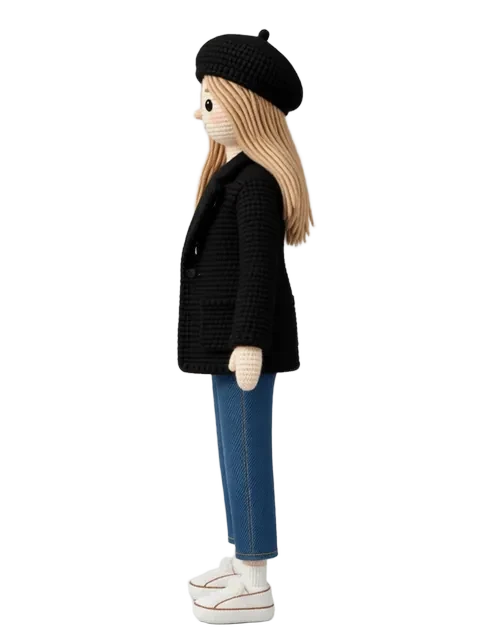
A single manga volume averages 180–220 pages, roughly 1,600–2,000 panels — each one a new perspective on a character you have to keep consistent. The ¾ view carrying the most dramatic dialogue panels, the profile for chase sequences, the front and back for transformation reveals. Hand-building a complete model sheet in Clip Studio Paint before Volume 1 takes a full week. Rebuilding it for Volume 2, when the character's design has evolved, takes another. AI tools that produce a single dramatic illustration don't help; what manga production needs is the orthographic reference library.
How manga artists use EZ Character
¾ view library for dialogue-heavy chapters
The ¾ front and ¾ back angles carry 60–70% of all manga panel work. Generate those specific angles locked to the same face structure, ink weight, and hair volume so that repeated medium shots across 200 pages look like the same character, not a lookalike.
Mob character batch generation
Recurring background characters — classmates, crowd members, rival students — need enough visual distinction to be recognisable but not enough detail to slow down production. Generate 10–15 distinct mob silhouettes in the same ink style. Each gets its own locked multi-angle set for the volumes they recur in.
Transformation and power-up variant sheets
Shōnen and shōjo both rely on dramatic transformations: hair lengthens, eyes change, costume evolves. Generate the pre- and post-transformation as two locked multi-angle sets. The face stays consistent; the surface design layer changes. Clip Studio Paint reference window handles the rest.
Volume-to-volume design evolution tracking
By Volume 3, your protagonist has grown. New scar, different haircut, upgraded uniform. Generate an updated multi-angle set at each volume break. Stack the version history so editors and letterers always reference the current canonical look.
Recommended workflow
Start with these step-by-step guides — tuned for the deliverables manga artists ship most often.
Which tier fits this work
Start with PRO. A single manga volume needs reference for a protagonist, 2–4 key supporting characters, and an ensemble of recurring mob characters — plus transformation variants and per-volume updates. Pro, a monthly credit allowance plus member pricing on the EZ engines (fast FLUX 4B images cost 0.5 credits), covers a volume's pre-production phase in 3–4 days.
Frequently asked questions
Does EZ Character support the ink-line aesthetic specific to manga (as opposed to Western comics)?
How do I use the reference set inside Clip Studio Paint?
Can I publish manga illustrated with AI-generated reference at a publisher like Shueisha, Kodansha, or Square Enix?
What resolution should I generate for Clip Studio Paint production?
Can I generate monster or creature characters in the same manga style for battle sequences?
Generate your first reference set
Upload one image. Get 8 consistent angles. Use the set across every spread, frame, or sprite in your project.
Try EZ Character freeFree tier: 40 credits every month. No credit card required.