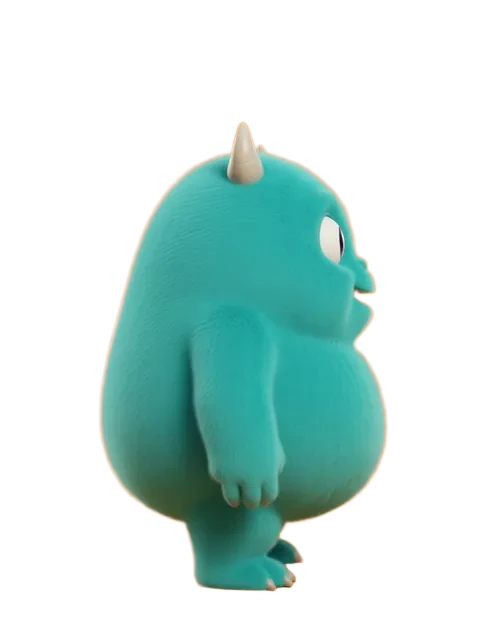
Is there an AI that can draw cartoons from words?
Yes. EZ Character's Generate Character tool drafts a cartoon, anime, 3D, or photoreal character from a plain-English description in seconds. Once you have a design you like, drop it into the 3D Camera tool to pick any precise angle — drag the handles in 3D space, get the shot. Other AIs (Midjourney, DALL·E) also draw cartoons from words, but they redraw the character from scratch on every prompt, so the same character looks different every time. EZ Character locks the design first, then renders consistent character drawings from every new angle.
How do I make a character reference sheet with AI?
Upload your character to the 3D Camera tool and dial through the 8 cardinal angles (front, three-quarter, side, back). Each angle returns 4 variations so you can pick the cleanest take. A complete character reference sheet usually needs front, three-quarter, side, and back — about 30 seconds of dialing plus generation time. If you want all 8 angles batched in one click (a full turnaround), use Auto Rotate. Both tools share the same identity-lock model, so a Generate Character → 3D Camera → Auto Rotate pipeline produces character reference sheets that stay consistent end to end.
Will my cartoon character drawings stay consistent across angles?
Yes — that's the entire reason EZ Character exists. Generalist AIs drift on every regeneration: different face, different outfit, different palette. We lock the character's identity from your uploaded reference, then re-render that locked character from each new camera angle, pose, or scene. Cartoon character drawings, 2D character art, anime references, expression sheets, and full character designs all read as the same person across the set — the consistency commercial work actually depends on.
What is character concept art and can AI generate it?
Character concept art is the early design exploration of a character — silhouette, palette, costume, proportions — before production locks in. AI is strongest at the ideation phase: Midjourney and DALL·E for silhouette and mood, EZ Character's Generate Character for refined cartoon character designs and character design ideas. Once you've locked a design, the 3D Camera and Auto Rotate tools produce the multi-angle character reference sheets that production workflows depend on — HSR-style splash art, anime character sketches, video-game character bases, and clean references for animation pipelines.
Does the 3D Camera work on scenes, not just characters?
Yes. The prompt phrasing is camera-centric (it rotates the camera, not the subject), so it works on full scenes too — orbit an environment, pick a specific orbital framing, render concept art for a level, storyboard panel, or location plate. Earlier versions were character-only; we redesigned the prompts so scene inputs orbit cleanly. For multi-angle scene sets in one click, the Auto Rotate tool's Scene mode batches all 8 orbital angles in a single generation.
How granular is the camera angle control?
Azimuth snaps to the 8 cardinal/diagonal positions (every 45°) — the angles the underlying LoRA was trained on, so generation lands reliably. Elevation has low-angle, eye-level, and high-angle bands; distance has close-up, medium, and wide shot. For each chosen framing the tool generates 4 variations: the official trained angle, the same angle re-phrased as a degree rotation, and two close-ish nearby degrees (±10°). That hedge lets you pick the framing that actually looks right when the snap's visual rotation doesn't match the number you'd expect.
Does this work with pixel art?
Yes — pixel art is one of the tool's standout cases. Feed it pixel-perfect input and the camera-rotated outputs come back pixel-perfect too: the grid stays clean, the palette stays limited, and the outline weight stays consistent. Most general AI tools blur pixel art into mush because they upsample before processing; EZ Character's pipeline preserves the discrete pixel grid through the camera rotation, so character sprites, pixel art characters, and 8-bit / 16-bit / 32-bit style characters all read clean from every angle. Particularly strong for indie game sprite sheets, retro turntables, and pixel-art OC reference sheets.
What image styles does it support?
Most 2D and 2.5D art styles: cartoon, anime, manga, semi-realistic, photoreal, 3D render look, watercolor, line art, and pixel art. The model picks up the source style from your upload and preserves it across every new camera angle — there's no separate style picker, so whatever you give it is what you get back, just framed from a new angle. Pixel art and clean cartoon line work are particularly strong because the model preserves the discrete edges/palette of the input.
Can I generate anime references or anime face references with this?
Yes. EZ Character is medium-agnostic — manga, anime, cartoon, watercolor, semi-realistic, and photoreal characters all work. Upload a single reference and the 3D Camera preserves the art style while re-framing. Anime drawing references, anime face references, anime character sketches, and 2D character sheets in any style work the same way: lock the source style once, dial the angle, generate. Particularly strong for VTuber kits, manga model sheets, and anime concept art workflows.
Can I turn my own image into a cartoon character?
Yes — upload a photo or a rough drawing, and EZ Character converts it into a polished cartoon character while preserving the underlying likeness. It functions as a cartoon character generator, cartoon picture generator, cartoon OC maker, and consistent-character AI in one: cartoon my image once, then dial the 3D Camera to render the same character from every angle for a complete OC reference set, expression sheet, or pose library.
How is this different from Midjourney or DALL·E for character drawings?
Midjourney and DALL·E are excellent generalists — strong for one-off illustrations, character drawing ideas, and concept exploration. They struggle with consistency: ask for "the same character" twice and you get two different characters. EZ Character is purpose-built for that gap — it preserves character identity, costume, and palette across every new angle, pose, expression, or scene. Most professional pipelines use Midjourney for ideation, then EZ Character for production character reference sheets and the downstream drawings of cartoon characters that all have to read as the same person.
What file formats and sizes are supported?
PNG, JPG, and WebP are supported. Large images are optimized in your browser before upload (up to 25 MB), so ordinary phone and camera files work without manual resizing. A clean, front-facing reference produces the strongest identity lock.