
Ideogram vs Flux 2026: Which Text-Rendering AI Is Better for Character Design?
Ideogram and Flux represent two very different approaches to AI image generation—both excellent at text rendering, but for opposite reasons. Ideogram has built its reputation on best-in-class typography in generated images: logos, signage, and any output where readable text inside the image is critical. Flux, the open-weight model family, earns its praise through prompt adherence and the flexibility of running locally on your own hardware—no API calls, no credit system. Both solve the text-in-image problem that plagued earlier diffusion models, but how well do they handle character identity? Answer: Both Ideogram and Flux produce excellent single-angle character images but neither was architected for multi-angle character reference generation. Ideogram’s focus is text fidelity; Flux’s is prompt adherence and open flexibility. For a locked character sheet with front, side, and three-quarter views from a single reference input, neither tool provides native multi-angle output.
Ideogram vs EZ Character at a glance
| Criterion | EZ Character | Ideogram |
|---|---|---|
| Text rendering in images | Not optimized for text-in-image; focused on character visual fidelity | Ideogram: best-in-class typography and logo generation; Flux: strong text rendering via prompt adherence, nearly on par with Ideogram |
| Model access | Cloud-based generation, optimized for character reference output | Ideogram: API and web app only, no local inference; Flux: open-weight, runs on consumer GPUs with ComfyUI or Diffusers |
| Prompt adherence | Optimized for angle and detail consistency across a multi-view sheet | Ideogram: excellent for text and layout prompts; Flux: class-leading prompt adherence for general image generation |
| Character identity lock | Core feature: one reference image produces consistent front, side, and three-quarter views | Neither Ideogram nor Flux offers native multi-angle character locking—each angle requires separate prompting and seed management |
| Ecosystem and flexibility | Focused tool: character reference sheets only, not a general-purpose generator | Ideogram: design and branding ecosystem; Flux: massive open-source tooling (ControlNet, IP-Adapter, LoRA training, ComfyUI nodes) |
| Pricing | Free tier available; paid from $9/mo for higher resolution and batch limits | Ideogram: free tier with daily limits, paid from $8/mo; Flux: free if run locally (GPU cost only), API access via providers at market rates |
| Best for | Artists who need a locked character reference before text or design integration | Ideogram: logos, branding, any output where readable text is critical; Flux: prompt-heavy workflows, local inference, and open-source customization |
When to use each
EZ Character
Use when character identity across angles is your primary constraint. Generate the reference sheet first, then bring individual views into Ideogram for text overlays or Flux for scene rendering—the character stays consistent across every downstream step.
Ideogram
Use Ideogram when your output must include readable text, logos, or typography within the image itself. Use Flux when you want open-weight flexibility, local inference without API costs, or the richest ecosystem of community tools and LoRAs.
Frequently asked questions
Can I use Flux’s ControlNet with an EZ Character reference sheet?
Should I use Ideogram for character designs that include text, like nameplates or logos?
Is Flux really free? What’s the catch?
Which tool produces the most consistent character faces, Ideogram, Flux, or EZ Character?
Can I train a character LoRA on EZ Character’s multi-angle output and use it in Flux?

Try EZ Character free
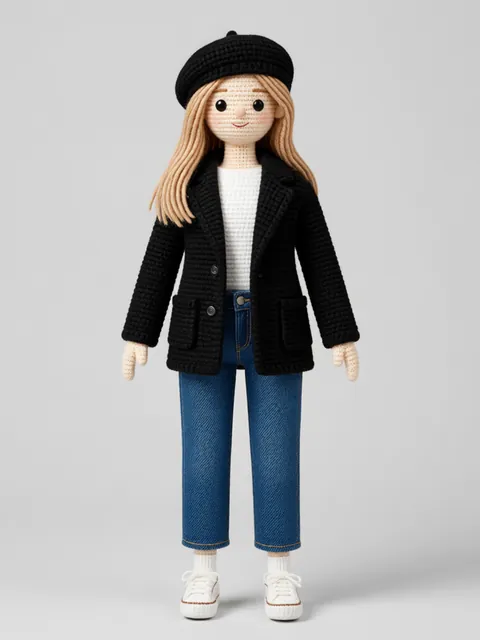
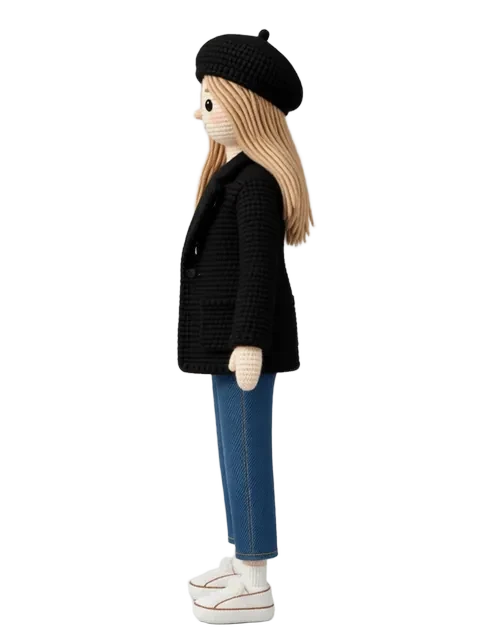
Upload one image. Get 8 consistent angles. See the difference for your own character.
Generate your reference setFree tier: 40 credits every month. No credit card required.